
A Carbon Reduction Plan
Your organisation, emissions, targets and reduction measures in an editable Word document and a website-ready HTML version.
View a sample plan (PDF, fictional business, new tab)Affordable carbon reduction planning for SMEs
Prepare your Carbon Reduction Plan with a guided self-assessment that keeps your emissions activity data in your browser.
Try the guided demo (demo, new tab)No sign-up or card. Explore with fictional data.

For businesses that want to take control of their carbon reporting.
See how it worksYou know your business. Carbon Verify helps you bring its energy, travel and other activity records together, understand the calculation and decide what comes next.
Use it to prepare a Carbon Reduction Plan, get your information ready for a consultant, or take a closer look at the emissions behind your day-to-day activities. Clear explanations help you work through the questions without having to start as a carbon expert.
It is a self-assessment tool, not a consultancy service. Where your business needs specialist advice, it can help you organise the groundwork.
How it works
Choose the business and reporting dates. Use the guidance to find the relevant bills, mileage and other records.
Enter your activity figures, record evidence references and review what the calculation covers. Save your project to return to later.
Record your reduction measures, check a labelled draft and get management approval before publishing your finished plan.
What you get
Review the plan, keep the calculation working and choose what to share. Your work is not confined to a dashboard.
Your organisation, emissions, targets and reduction measures in an editable Word document and a website-ready HTML version.
View a sample plan (PDF, fictional business, new tab)An Excel record of activity, methods, factors, results and evidence references. Keep the original bills and records separately.
Download a sample Evidence Pack (Excel, fictional business, new tab)Portable project files, optional document branding and a separately approved Carbon Footprint Statement are also included. Samples use fictional businesses.
Save and revisit your work
Keep separate .carbonverify projects for different businesses and reporting years, each with its own figures, dates and document appearance.
Save dated copies so a new report does not overwrite the work you have already done. The licence limits active devices, not the number of saved projects. Use it for your own businesses or to prepare work for clients.
Calculations must use a supported reporting period. The current edition supports periods ending in 2026.
Using Carbon Verify for client workBrowser autosave is separate from your downloaded snapshot. Later changes do not update a saved file, so save a fresh copy when you finish. File handover is not live shared editing or a transfer of a software licence.
How to save and switch projects safelyActivity data, evidence references and calculations are processed in your browser, not uploaded to Carbon Verify. Save a project file as a backup and choose what to share with a colleague, adviser or buyer.
Payment and licence validation are handled separately through Lemon Squeezy. Keep your project files secure and backed up.
Read our privacy information (new tab)
Start where you are
You do not have to be ready to publish a plan for Carbon Verify to be useful.
Carbon reporting for small businesses
Carbon reporting should be within reach of small businesses. Carbon Verify is priced to help you understand your emissions and manage your own carbon reporting.
Every CRP tool licence includes the guided calculations, editable documents and working Evidence Pack. You can do the straightforward work yourself and bring in professional support where it adds value.
Carbon Verify is a guided self-assessment tool. It does not provide consultancy or independent verification. The annual price reflects that.
Advisers can also keep separate projects for different client organisations.
Pricing
Both annual licences include the same features and separate business projects. Choose how many devices can be active at once. All subscription prices exclude VAT.
This edition supports reporting periods ending in 2026. Check that Carbon Verify covers your business before buying.
Before you start
Standard CRP is the focused route for supported Scope 1 and 2 sources and the five PPN 006 Scope 3 categories: upstream transport, waste, business travel, employee commuting and downstream transport.
Relevant additional fuels, released gases, purchased energy and suitable documented separate calculations can be included where supported. Check the available sources against your business and the buyer’s instructions. A missing source does not mean zero emissions.
Extended footprint is optional under the same licence. It adds selected purchases, water supply, UK hotel stays and wider optional figures or disclosures. It is not a complete Scope 3 calculator.
Start with the focused route if that meets your needs. Add coverage when it is relevant, rather than because there are more boxes to fill in.
No. Carbon Verify helps you prepare a self-assessed plan. Your organisation must check its information, understand any gaps and obtain genuine management approval. It does not replace consultancy, independent verification or a buyer’s own requirements, and cannot guarantee tender acceptance.
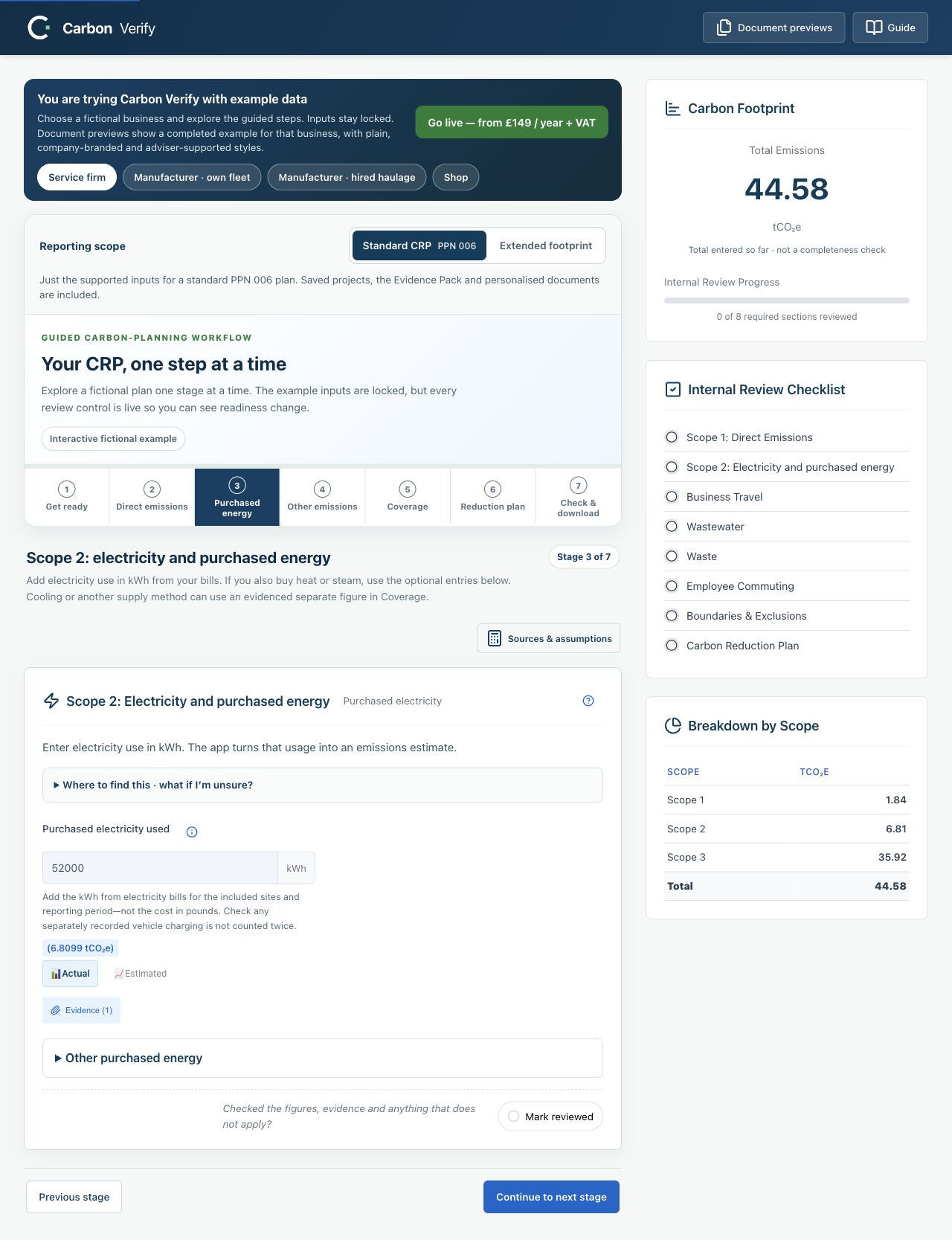
Yes. The free guided demo uses four fictional businesses and lets you explore all seven stages. The example figures stay locked, while review controls remain interactive. You need an annual licence to enter your own business figures.
Open the guided demo (new tab)Use Save project file to download a .carbonverify snapshot, Open project to resume one, or New project to start empty. Check the organisation and period before switching. Browser autosave is separate; later edits do not update downloaded files. See the project guide.
Yes. Select Appearance in Carbon Verify to add the active organisation's logo, a readable accent colour and optional support credits. Reports are plain by default and Word files remain editable. Word edits do not update the project, and branding does not imply independent assurance. Read the document guide.
This release supports reporting periods ending in 2026. Built-in activity factors use the UK Government GHG Conversion Factors for Company Reporting 2026, including supported fuels, released gases and freight methods. The heat/steam option uses a UK CHP-average method only where suitable, not a universal heat or cooling factor. Biogenic CO₂ and non-Kyoto gas components are disclosed separately. Supplier or separate figures retain the method and evidence you provide; Carbon Verify does not independently verify them. In Extended footprint, supported separately billed legal, accountancy and IT consultancy services use Defra's 2023 industry-average spending factors with available ONS service-price adjustments. Missing factors or price data remain pending, not zero. Read the coverage guide, Sources & assumptions and the purchases methodology and limitations.
Yes. Carbon Verify is a yearly subscription, so your licence renews automatically each year and the card you paid with is charged for the next year unless you cancel before the renewal date. Carbon Reduction Plans must be kept current, and the UK Government reissues its emission factors every year, so an active annual licence provides the maintained tool and factor updates. You remain responsible for reviewing your activity data and plan.
You can cancel any time, and it takes a moment. Every receipt and renewal reminder from Lemon Squeezy, our payment provider, includes a link to manage your subscription, and you can also use the "manage subscription" link on your original order confirmation email. From there you cancel in a couple of clicks, which stops any future payment.
Practical reading
Until the end of 2026, £7 of every sale supports Mind through Work for Good.